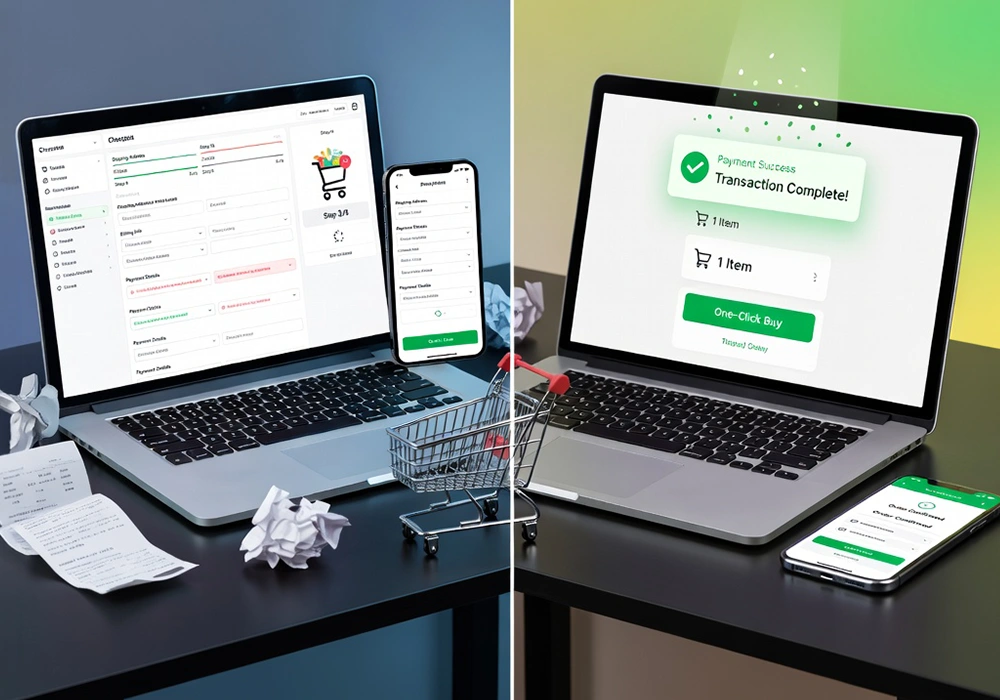
A smooth checkout experience helps customers complete their purchase without
hesitation, while a complicated one creates friction at the worst possible moment.
In this blog, we’ll break down practical ways to make the checkout process faster,
simpler, and more user-friendly, based on common patterns seen across successful
eCommerce platforms.
Why a Poor Checkout Experience reduces Your eCommerce Sales
The checkout stage is the closest point to conversion, yet it also records one of
the highest drop-off rates in online shopping. Many leading eCommerce studies show
that a large percentage of users abandon carts during checkout, not because they
changed their mind about the product, but because the process felt inconvenient.
At this stage, customers are already committed emotionally and financially. If they
are asked to create unnecessary accounts, fill long forms, or wait for slow pages to
load, hesitation quickly turns into exit. This is why improving checkout is one of
the most effective ways to increase sales without increasing traffic or ad spend.
Reasons Customers Abandon the Checkout Page
Before improving the checkout experience, it’s important to understand why customers
drop off at the final stage. In
most cases, users don’t abandon because they don’t want the product anymore, but
because the process feels slightly
inconvenient, confusing, or longer than expected.
One major reason is forced account creation. Many shoppers want a quick, one-time
purchase experience without extra
steps. When websites ask users to sign up before buying, it interrupts the flow and
often leads to hesitation or
complete drop-off.
Another common issue is too many or unnecessary form fields. When checkout forms ask
for extra details like repeated
addresses, multiple contact numbers, or non-essential information, the process
starts feeling heavy. Even small
delays in form loading or validation can make users lose patience and leave.
Unexpected pricing at the final stage is another strong reason for abandonment.
Customers often decide based on the
price they initially see. When shipping charges, taxes, or handling fees suddenly
appear at checkout, it creates a
sense of surprise and reduces trust, which can quickly lead to cart abandonment.
Finally, limited or missing payment options can also stop a purchase from being
completed. If users don’t find their
preferred method, like UPI, wallets, or a specific card option, they may not
continue, even if they are ready to
buy.
In simple terms, checkout abandonment usually happens because of:
- Forced account sign-ups that slow down the buying process
- Long and unnecessary form fields that feel time-consuming
- Extra costs revealed too late in the process
- Lack of preferred or flexible payment options
These are small friction points individually, but together they can significantly
reduce completed purchases and
affect overall sales performance.
How to Simplify Your eCommerce Checkout Flow
A faster checkout starts with reducing unnecessary steps. The ideal process should
feel direct and predictable from
start to finish.
One effective improvement is allowing guest checkout. Not every customer wants to
create an account, especially
first-time buyers. Offering a guest option reduces resistance and speeds up the
decision-making process. Later,
businesses can encourage account creation through order tracking or post-purchase
benefits.
Another helpful approach is minimizing form fields. Only essential information
should be collected at checkout.
Features like auto-fill for addresses, ZIP code lookup, and saved preferences can
reduce typing effort and save
time.
Progress indicators also help users understand where they are in the process. When
customers can see how many steps
remain, they feel more in control and are less likely to abandon midway.
Offering Convenient Payment Options
Payment flexibility plays a big role in checkout completion. Different users have
different preferences, and
limiting choices can directly impact conversions.
In markets like India, options such as UPI, wallets, debit cards, credit cards, and
net banking are commonly used.
Adding multiple payment gateways allows customers to choose what they are most
comfortable with.
Buy-now-pay-later options are also becoming popular, especially for higher-value
products. These options give users
more financial flexibility and reduce hesitation at checkout.
Another important factor is storing payment details securely for returning
customers. This allows faster repeat
purchases without re-entering information every time.
Mobile-Friendly Checkout Design
A large portion of eCommerce traffic comes from mobile devices, so checkout design
must work smoothly on smaller
screens.
Buttons should be easy to tap without zooming in, and form fields should be large
enough for comfortable typing.
Long scrolling pages often create frustration, so keeping the mobile checkout
compact is important.
One-page checkout formats work well on mobile because they reduce navigation between
multiple screens. However, even
in multi-step checkouts, clarity and simplicity should be maintained.
Speed also matters more on mobile networks. Heavy scripts, uncompressed images, or
unnecessary animations can slow
down the page and increase abandonment rates.
Building Trust During Checkout
At the final stage, customers are highly sensitive to trust signals. They are
sharing personal and payment
information, so reassurance becomes essential.
Displaying secure payment badges, return policies, and clear contact information
helps build confidence. Reviews or
ratings near the checkout area can also reinforce trust.
Transparent pricing is equally important. Customers should see the full cost
breakdown early, including taxes and
delivery charges, so there are no surprises later.
Clear communication around delivery timelines also reduces uncertainty. If customers
know when to expect their
order, they feel more comfortable completing the purchase.
Improving Page Speed and Technical Performance
Even a well-designed checkout can fail if it loads slowly. Speed plays a direct role
in conversions because users
expect instant responses during payment.
Optimizing images, reducing unnecessary scripts, and using lightweight checkout
pages can significantly improve
performance. Server response time also matters, especially during high-traffic
periods.
Caching frequently used elements and reducing third-party script dependencies can
further improve loading time. A
faster checkout page keeps users focused on completing the purchase rather than
waiting for the next step to appear.
Removing Distractions from the Final Step
The checkout page should focus only on completing the purchase. Extra navigation
menus, promotional banners, or
unrelated product suggestions can distract users at a critical moment.
Many successful eCommerce stores simplify their checkout layout by removing top
navigation bars and limiting
external links. This keeps attention on payment completion.
Even promotional pop-ups or discount messages should be used carefully during
checkout, as they can interrupt the
flow and slow down decision-making.
Conclusion
A smooth checkout process is less about adding features and more about removing
unnecessary effort for the customer.
When users can complete a purchase quickly without confusion, hesitation drops, and
conversions naturally improve.
Small improvements like reducing form fields, offering flexible payments, and
improving page speed can make a
noticeable difference in sales performance.
In many cases, businesses do not need more traffic, but a better experience for the
traffic they already have.
Checkout optimization is ultimately about respecting the customer’s time and making
the final step feel effortless.
If you want to improve your eCommerce checkout experience and increase conversions,
Webomindapps can help you design
faster, user-friendly shopping journeys tailored to your business goals.